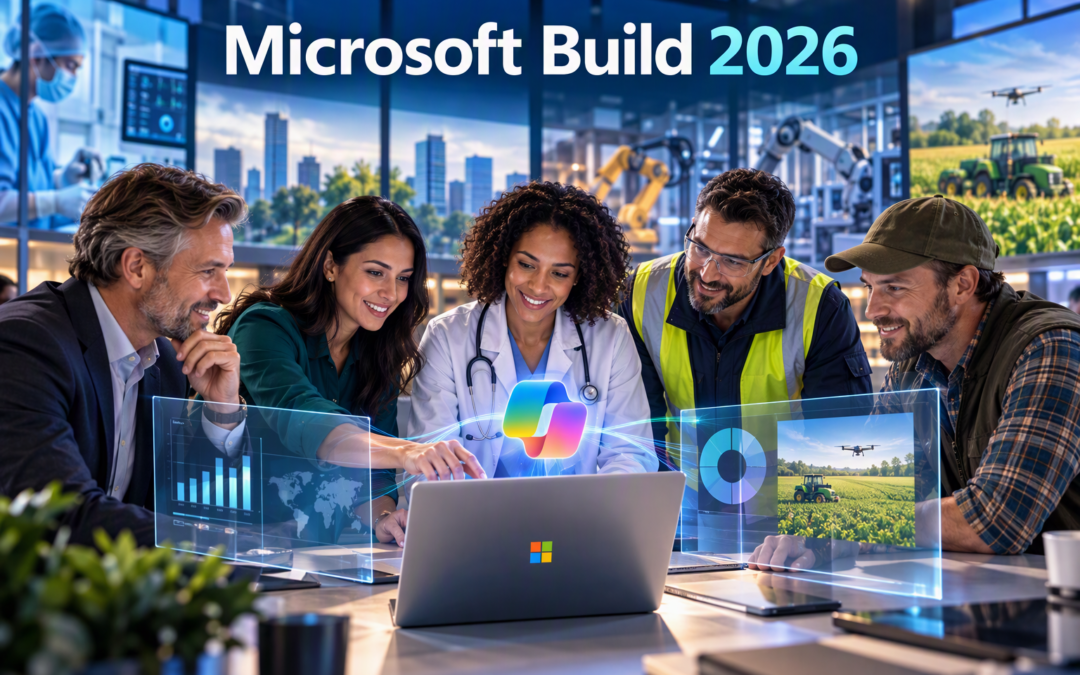
When Microsoft launched Copilot, most people saw it as a productivity tool.
It helped write emails, create presentations, summarise meetings, and answer questions faster.
Those capabilities are still valuable, but Microsoft Build 2026 revealed something much bigger.
Microsoft's vision is no longer focused on helping people complete individual tasks faster. The company is building a future where Copilot understands how organisations work, learns from business knowledge, supports employees with intelligent agents, and helps companies scale expertise across the entire business.
For business leaders, employees, and Microsoft partners, this marks an important shift in AI adoption.
The Next Phase of Copilot Adoption Has Started
Over the past two years, organisations have experimented with AI.
Employees learned how to create prompts. Teams tested use cases. Companies explored where Copilot could save time.
Many organisations are still in that phase today.
However, Microsoft Build 2026 demonstrated that the future of AI adoption is no longer about prompting.
It is about embedding AI into everyday business processes.
Instead of asking:
"Can Copilot help me write this report?"
Businesses will increasingly ask:
"Can Copilot help improve the entire reporting process?"
That difference is significant.
One focuses on productivity.
The other focuses on business transformation.
AI Is Becoming Organisational Intelligence
One of the biggest themes at Build 2026 was Microsoft's new intelligence layer that combines business knowledge, company documents, operational data, workflows, and external information into a connected AI experience.
Think about how work happens today.
Employees spend hours searching for information in SharePoint, Teams, Outlook, OneDrive, CRMs, ERPs, and countless other systems.
The information exists, but finding it often takes time.
Microsoft's vision is for Copilot to understand that information and help employees access the right knowledge when they need it.
For organisations, this means moving beyond information storage and toward knowledge activation.
The companies that organise and govern their information effectively will gain the most value from AI.
AI Agents Are Becoming Digital Teammates
Microsoft also introduced a new generation of AI agents designed to perform longer-running tasks.
These agents can monitor information, collect updates, follow approved workflows, and support users throughout the day. Microsoft described these enterprise agents as "Autopilots" and demonstrated an agent called Scout.
For employees, this means less time spent gathering information and more time spent making decisions.
For managers, it means teams may be able to focus less on administrative work and more on strategic priorities.
For organisations, it means AI can become an active participant in business processes rather than simply a tool that waits for instructions.
What This Means for Businesses
The biggest lesson from Build 2026 is that AI adoption is no longer a technology project.
It is a business transformation project.
Many organisations still focus on licences and deployment. Those steps are important, but they are only the beginning.
The real opportunity comes from identifying high-value business processes where AI can improve efficiency, consistency, knowledge sharing, and decision-making.
The most successful organisations will focus on:
- Organisational knowledge
- Process improvement
- Employee adoption
- AI governance
- Business outcomes
Companies that simply deploy AI will see benefits.
Companies that redesign work around AI will see transformation.
What This Means for Skillgine Partners
For Skillgine partners, Microsoft Build 2026 confirms that the market is moving beyond Copilot licensing and basic training.
Customers need guidance.
They need someone who can help them understand where AI fits into their business, how their teams should use it, and which processes should be transformed first.
This creates a significant opportunity for Skillgine's partner ecosystem.
MSPs can lead security, governance, deployment, and ongoing support.
Consultants can identify business processes and drive change initiatives.
Industry specialists can develop sector-specific use cases for healthcare, manufacturing, agriculture, retail, and professional services.
Trainers can help employees build confidence and practical AI skills.
The most successful partners will not sell Copilot features.
They will help customers achieve outcomes.
A manufacturer wants better production reporting.
A healthcare organisation wants better clinical knowledge sharing.
A business owner wants faster decision-making.
A sales team wants more time with customers.
Partners who help customers achieve these goals will create long-term value relationships rather than one-time transactions.
That is the opportunity Build 2026 revealed.
What This Means for Microsoft 365 Users
For everyday users, the future is exciting.
Copilot will become more capable, more context-aware, and more integrated into daily work.
Employees will spend less time searching for information, summarising content, and completing repetitive administrative tasks.
However, AI skills will become increasingly important.
The most valuable employees will not necessarily be those who use AI the most.
They will be those who know how to combine AI capabilities with human judgement, experience, creativity, and critical thinking.
The future workplace will not be AI versus people.
It will be people who know how to work with AI.
Final Thoughts
Microsoft Build 2026 delivered a clear message.
The next generation of Copilot is not just about generating content faster.
It is about helping organisations capture knowledge, improve processes, scale expertise, and make better decisions.
In other words, the future of AI is not productivity.
The future of AI is organisational intelligence.
Businesses that start preparing today by improving adoption, governance, knowledge management, and business processes will be best positioned to take advantage of what comes next.
At Skillgine, we believe successful AI adoption is not measured by how many licences an organisation owns.
It is measured by how effectively people use AI to create better outcomes.
And that journey is only just beginning.

Skillgine provides Microsoft Copilot training and implementation services to businesses across Canada and the United States. We help organizations assess AI readiness, train employees, design practical workflows, develop Copilot agents, connect business applications and support long-term Copilot adoption.
COPILOT TRAINING
Copilot Training for Businesses
Copilot Training for Solopreneurs
Copilot Training for Office Professionals
Copilot Training for Non-Profits
Startup Bootcamps
Role-Based Copilot Training (Coming Soon)
Train-the-Trainer Programme (Coming Soon)
READINESS & ADOPTION
Who We Help
Small and Mid-Sized Businesses
Office Professionals
Consultants and Trainers
Non-Profit Organizations
Associations and Member Groups
Colleges and Training Providers
Startups
Sales and Customer Service Teams (Coming Soon)
Executives and Managers ( Coming Soon)
HR Managers ( Coming Soon)
Programmes & Resources
COMMUNITY
Microsoft Copilot Blog
Skillgine Copilot User Group
Copilot Adoption Academy
Skillgine Newsletter
Frequently Asked Questions (F.A.Q)
What Does Skillgine Do?
Skillgine helps organizations implement and adopt Microsoft Copilot. Services include Copilot readiness assessments, practical employee training, workflow design, Copilot implementation, custom Copilot agents, Copilot Studio solutions, MCP setup, Zoho CRM integration and ongoing adoption support.
Does Skillgine Provide Microsoft Copilot Training?
Yes. Skillgine provides practical Microsoft Copilot training for businesses, managers, office professionals, consultants, non-profits and other organizations. Training focuses on using Copilot in daily work across Microsoft 365.
Does Skillgine Integrate Copilot with Business Applications?
Yes. Skillgine provides Copilot integration services for supported business applications, including Zoho CRM. Services can include readiness review, workflow design, agent configuration, permission planning, employee training and adoption support.
What Is Skillgine’s MCP Setup Service?
Skillgine helps organizations plan and configure approved connections between AI agents and selected business systems using Model Context Protocol. The engagement can include business-workflow review, authentication requirements, access permissions, supported actions, approval requirements and user adoption.
Where Does Skillgine Provide Services?
Skillgine provides virtual Microsoft Copilot training, readiness, implementation and integration services to organizations across Canada and the United States.
Speak with a Copilot Specialist
- 1-844-904-8943
- Email Us
- Canada & USA
STAY CURRENT WITH COPILOT


By subscribing, you agree to receive Skillgine news, training updates and event information. You may unsubscribe at any time.

Copyright © 2026 skillgine | Privacy | Terms | Sitemaps | Accessibility | Refund Policy | Partner Terms | AI Ethical Use Policy
Microsoft, Microsoft 365, Microsoft Copilot and related product names are trademarks of the Microsoft group of companies. Skillgine is an independent training, implementation and adoption services provider unless otherwise stated.