Microsoft Copilot vs ChatGPT for Business
Why Smart Organizations Are Moving to Copilot — and How Skillgine Makes It Work
Stop Switching Between AI Tools. Bring AI Into Your Work.
Your team already works in:
- Outlook
- Teams
- Word
- Excel
- PowerPoint
But today, many teams still:
❌ Copy content into ChatGPT
❌ Paste sensitive data into external tools
❌ Switch tabs to “use AI”
Microsoft Copilot Changes This
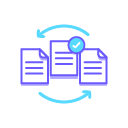
Copilot brings AI into your workflow.
- Write emails inside Outlook
- Summarize meetings in Teams
- Build reports in Word
- Analyze data in Excel
👉 No switching. No copying. No friction.

What Is Microsoft Copilot?
Copilot is an AI assistant built into Microsoft 365 that helps your team complete real work using company data (based on permissions).
Instead of:
Copy → Paste → Edit → Repeat
You can:
Ask → Generate → Review → Send


Which AI is better for business?
Short answer:
ChatGPT is powerful for general AI.
Copilot is built for real work inside Microsoft 365.
Copilot = Best of Both Worlds
With Copilot, you are NOT choosing between tools.
You get:
- Access to OpenAI models (like ChatGPT)
- Ability to integrate multiple AI models (e.g Claude)
- A secure Microsoft 365 environment
- AI inside your daily apps

A full AI system
ChatGPT = One AI tool
Copilot = A full AI system (with multiple models + your work data)
With Copilot, you don’t lose ChatGPT, you gain it inside a smarter, safer system.
Why Businesses Are Moving from ChatGPT to Copilot
THE PROBLEM WITH CHATGPT AT SCALE
- Data leaves your systems
- Work is disconnected
- No standard workflows
- Hard to control usage
- ROI is unclear

WHY COPILOT WINS
- AI inside your tools
- Uses your real work data
- Better control and governance
- Easier adoption
- Measurable ROI
ChatGPT → Copilot Transition
How do you move safely?
You need a structured transition — not just a tool switch.
What is a transition?
From:
- Copy-paste workflows
- External AI tools
- Uncontrolled usage
To:
- AI inside Microsoft 365
- Secure, permission-based access
- Standard workflows

Skillgine Transition Framework
Assess Current AI Usage
- What is ChatGPT used for?
- What data is shared?
- Where are risks?

Secure Your Data
- Fix permissions
- Clean files
- Reduce exposure risk
Train by Role
- Sales → proposals
- HR → onboarding
- Ops → reporting
- Managers → meetings

Set Safe Usage Rules
- What data is allowed
- What to avoid
- When to review AI output
Drive Adoption
- Prompt libraries
- Champions
- Team workflows
Map Workflows
- Write emails → Outlook Copilot
- Summarize notes → Teams Copilot
- Draft documents → Word Copilot
- Analyze data → Excel Copilot
What Success Looks Like
Before transitioning, workflows can suffer from:
❌ Tool switching
❌ Copy-paste work
❌ Risky usage
After Transitioning, workflows benefit from:
✅ AI inside daily work
✅ Faster execution
✅ Secure workflows
✅ Clear ROI

Ready to Upgrade from ChatGPT Tools to Copilot AI System?
If your team already uses ChatGPT, you’re ahead.
Now it’s time to:
- Bring AI into Microsoft 365
- Reduce risk
- Scale usage
- Measure real impact
Copilot is not just another AI tool.
It is the system that brings all AI together, inside your work.

Skillgine provides Microsoft Copilot training and implementation services to businesses across Canada and the United States. We help organizations assess AI readiness, train employees, design practical workflows, develop Copilot agents, connect business applications and support long-term Copilot adoption.
COPILOT TRAINING
Copilot Training for Businesses
Copilot Training for Solopreneurs
Copilot Training for Office Professionals
Copilot Training for Non-Profits
Startup Bootcamps
Role-Based Copilot Training (Coming Soon)
Train-the-Trainer Programme (Coming Soon)
READINESS & ADOPTION
Who We Help
Small and Mid-Sized Businesses
Office Professionals
Consultants and Trainers
Non-Profit Organizations
Associations and Member Groups
Colleges and Training Providers
Startups
Sales and Customer Service Teams (Coming Soon)
Executives and Managers ( Coming Soon)
HR Managers ( Coming Soon)
Programmes & Resources
COMMUNITY
Microsoft Copilot Blog
Skillgine Copilot User Group
Copilot Adoption Academy
Skillgine Newsletter
Frequently Asked Questions (F.A.Q)
What Does Skillgine Do?
Skillgine helps organizations implement and adopt Microsoft Copilot. Services include Copilot readiness assessments, practical employee training, workflow design, Copilot implementation, custom Copilot agents, Copilot Studio solutions, MCP setup, Zoho CRM integration and ongoing adoption support.
Does Skillgine Provide Microsoft Copilot Training?
Yes. Skillgine provides practical Microsoft Copilot training for businesses, managers, office professionals, consultants, non-profits and other organizations. Training focuses on using Copilot in daily work across Microsoft 365.
Does Skillgine Integrate Copilot with Business Applications?
Yes. Skillgine provides Copilot integration services for supported business applications, including Zoho CRM. Services can include readiness review, workflow design, agent configuration, permission planning, employee training and adoption support.
What Is Skillgine’s MCP Setup Service?
Skillgine helps organizations plan and configure approved connections between AI agents and selected business systems using Model Context Protocol. The engagement can include business-workflow review, authentication requirements, access permissions, supported actions, approval requirements and user adoption.
Where Does Skillgine Provide Services?
Skillgine provides virtual Microsoft Copilot training, readiness, implementation and integration services to organizations across Canada and the United States.
Speak with a Copilot Specialist
- 1-844-904-8943
- Email Us
- Canada & USA
STAY CURRENT WITH COPILOT


By subscribing, you agree to receive Skillgine news, training updates and event information. You may unsubscribe at any time.

Copyright © 2026 skillgine | Privacy | Terms | Sitemaps | Accessibility | Refund Policy | Partner Terms | AI Ethical Use Policy
Microsoft, Microsoft 365, Microsoft Copilot and related product names are trademarks of the Microsoft group of companies. Skillgine is an independent training, implementation and adoption services provider unless otherwise stated.